

‘How To’ # 1 Updating Your Details on ‘Find A JP’
Providing the best service possible to clients is all about being accessible and ongoing education/training
In this ‘How to #1’ we provide you with a step by step guide to updating your details on the Royal Federation of NZ Justices’ Associations website
Have you recently checked the details held against your name?
Step 1:
Go to Members Services and Log In with your username and unique password
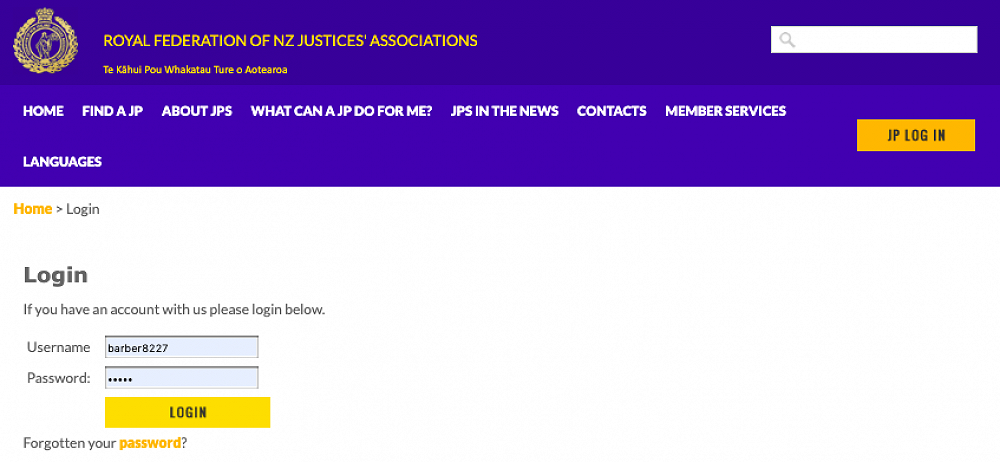
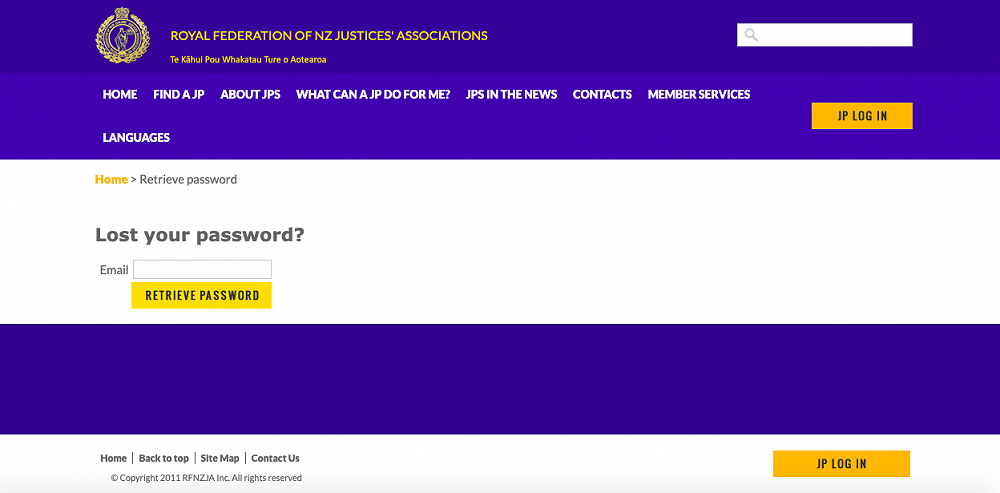
If you have forgotten your password click on the gold password as it is hyperlinked and will take you to the ‘Lost Your Password’ page.
Enter your email address and click on RETRIEVE PASSWORD
Should this process not work or you have any queries please contact the RFNZJA Administration Officer by phone on 04 918 8447 or by email administrator@jp.org.nz
Recommence your JP Log In at Member Services using your username and password.
Step 2:
Go to My Account in the Member Services drop box on the left side of the screen.
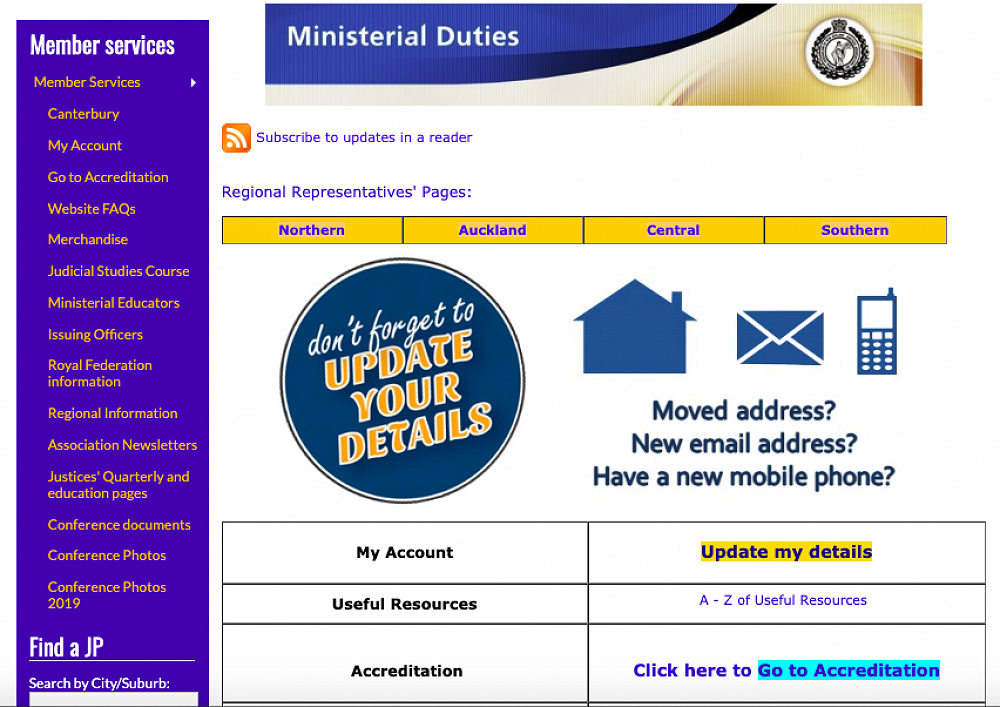
Click on ‘My Account’ in the blue box which will reveal 4 options
A. Go to Accreditation which is covered ‘How To #2 – ‘Enter Your Education Programme Details on the RFNZJA Website’ on the CJPA website
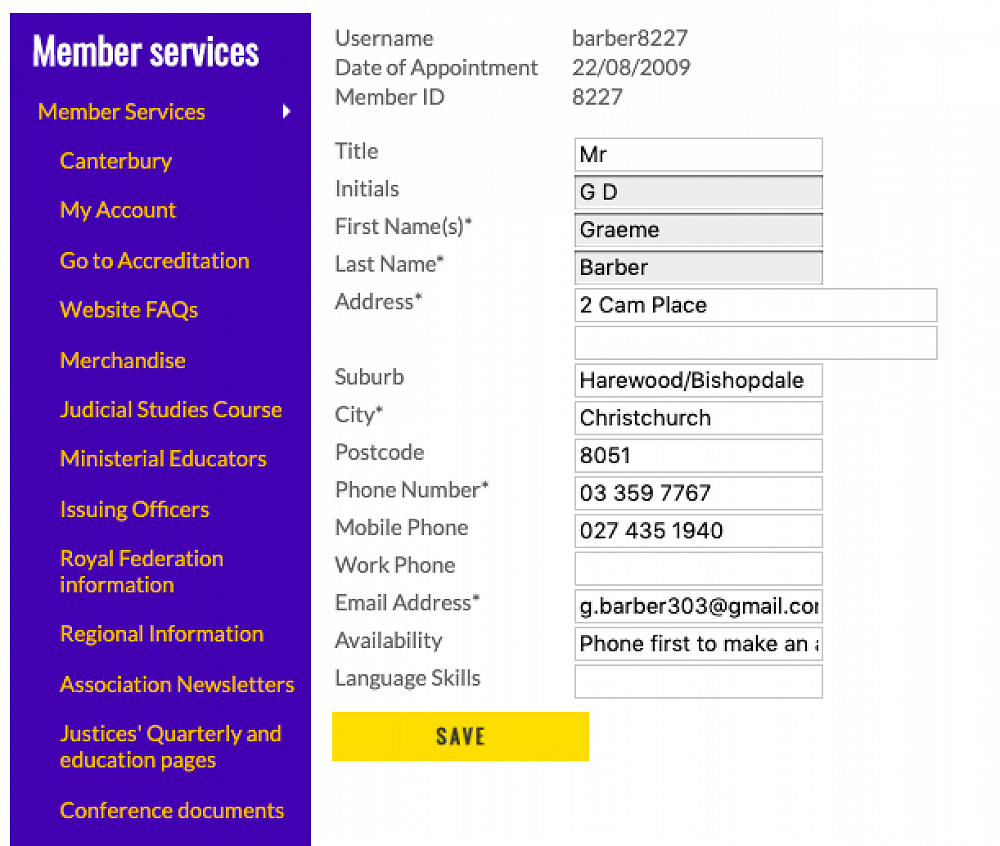
B. Account Maintenance- This where you change/update your contact details. Your address will display on the Find a JP page using Google Maps. Changes you make are automatically recorded in the system (provided you click SAVE) and notified to our Association Registrar. If you note any out of date address details, phone numbers, email addresses and availability instructions please change them NOW!! If you are unavailable for whatever reason (eg on holiday or recovery from an operation) just write unavailable without providing any explanation as this could alert people to your house being empty.
If your unavailability is for more than just a few weeks, which by the way is very acceptable, please email Registrar Ken and he will arrange to get your Find a JP listing put on hold for the period of time you request.
Enter in ‘Language Skills’ other languages you are able to provide JP service.
Please note that neither the RFNZJA or the CJPA have direct control on what JP information is held on other websites nor its currency.
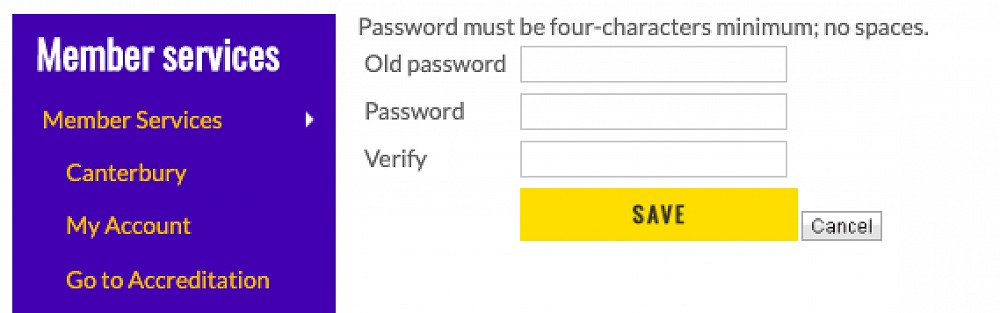
C. Change Password - Change your password to stay secure by entering your old password first then your new
password twice. Finish up by clicking SAVE.
D. Log Out- for security reasons a good thing to do when you have completed what you are doing.