Can You Recognise a Phishing Email or Text?
23% of those we asked would not recognise and delete a phishing email immediately
We've all received them - the email from a Nigerian Prince who needs to transfer $40 million but cannot use an African bank account and therefore needs you to transfer a small amount of money, of course you will be rewarded a percentage of the $40 million!
Most of us haven't fallen for that one, but scam emails (also known as phishing emails) are getting more and more clever.
Note: According to Public Radio International (PRI) one of the top Nigerian prince scammers was caught and believed to be behind scams worth more than $60 million.
What Phishing Scammers Want You to Do
Phishing scammers these days usually encourage you to give out
personal information (like passwords, bank account numbers and credit
card details) or convince you to click a link or open a file. This
small action can infect your computer with malware or ransomware.
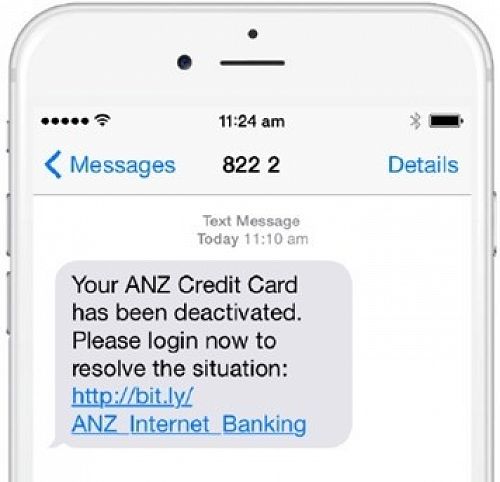
Don't just be suspicious of emails, phishing scammers can phone, use message service or even text you.
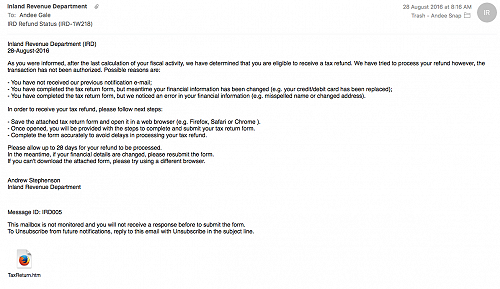
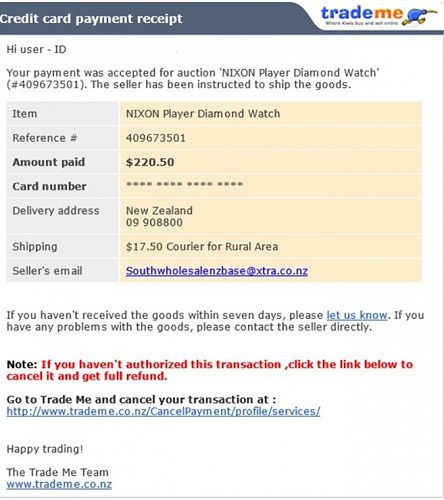
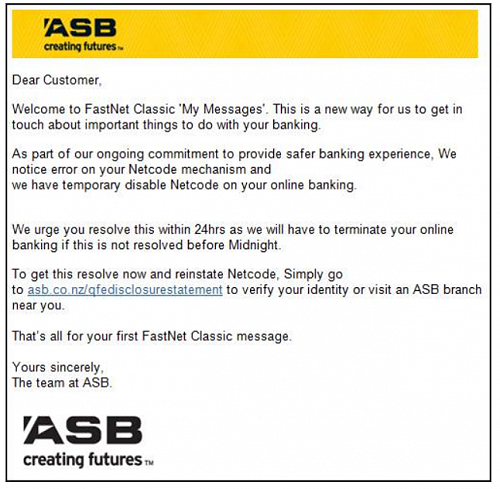
The methods they use to try and trick you are too vast to explain. However, have a look at some of the examples in the photo gallery below to understand how legitimate these phishing attacks can look.
What Can I Do?
- Make sure you have Antivirus on all of your devices and that these are set to update regularly.
- Be very cautious of emails, text messages or even a phone call that asks you to confirm personal or financial information and/or make the request for this information seem urgent (see the example images below)
- Look carefully at the email or message: it is addressed to you personally or just 'hello' , does it emphasise that you need to take action in the message and does it ask for personal information like a login or account details - all indicators that the message could be a phishing email.
- Make sure you only communicate personal information via secure webpages. Read this article to learn how to identify a secure webpage
- Only open attachments that you are expecting and know what they contain - even if you know the sender
- Never email personal or financial information - you can never know who will gain access to your email account, or their account
- Always use secure WiFi - be aware that Wi-Fi at airports and cafes is not necessarily secure
- Be especially wary of pop-ups - don't enter personal information
into them, don't click links, or copy website addresses from them,
- If you run a business make sure your staff are aware of the above points and the risk posed to the business by simply clicking a link or opening an attachment.
Check out these examples of phishing emails and text messages.
Gallery