
Update from Hail: Speed, Performance and Filtering 🚀
We have fantastic news to share with you all.
Speed and performance 🚀
Our super-smart tech team have rebuilt how we deliver our websites. This means that if you need to share an important update or post an alert - it will happen in seconds.
It's a HUGE speed increase and when we compare our website speeds to other providers, we are so much faster.
But wait, there's more! In addition to the speed increase, we have also chatted with our customers about Hail's filtering function and how we can improve this experience for our customers...
Filtering in Hail 🚀 So what's new?
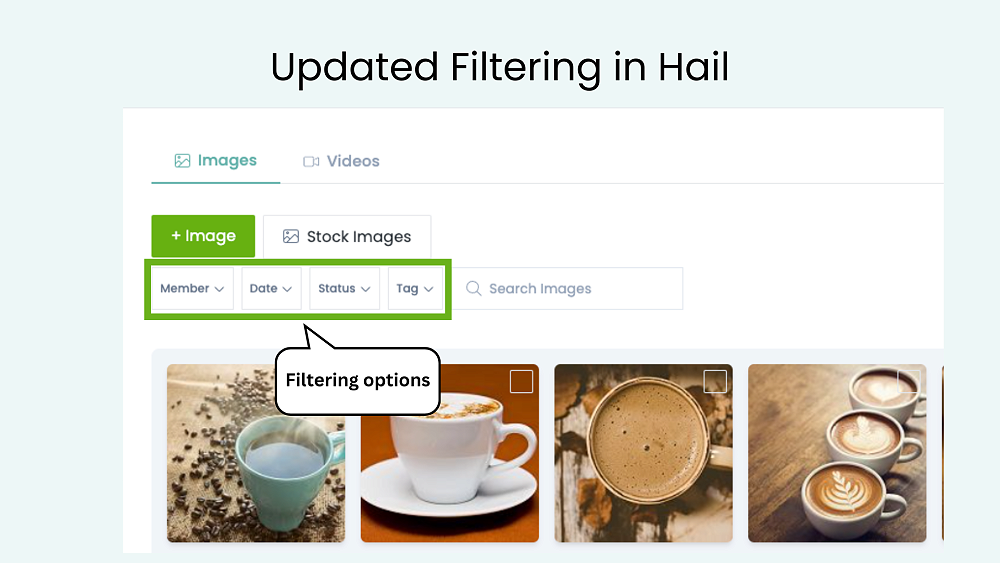
Filtering is used in all the 'libraries' in Hail. We chatted to a number of our customers and in September tweaked our current framework to make things easier when searching and browsing content.
We have separated out filtering options and each filter now has it's own drop-down list. Super easy to spot what you want to filter by - choose the filter type, click on the drop-down and choose your filter. You could also use the search bar to find content easily.
Filter by:
Member- filter by team members. 📌 Note: your name will always be first, so it's nice and easy to choose your own content as it will be front and centre.
Date- created some content last week for your newsletter? Filter on Last week.
Status- filter by Ready, Published or find something you have Deleted.
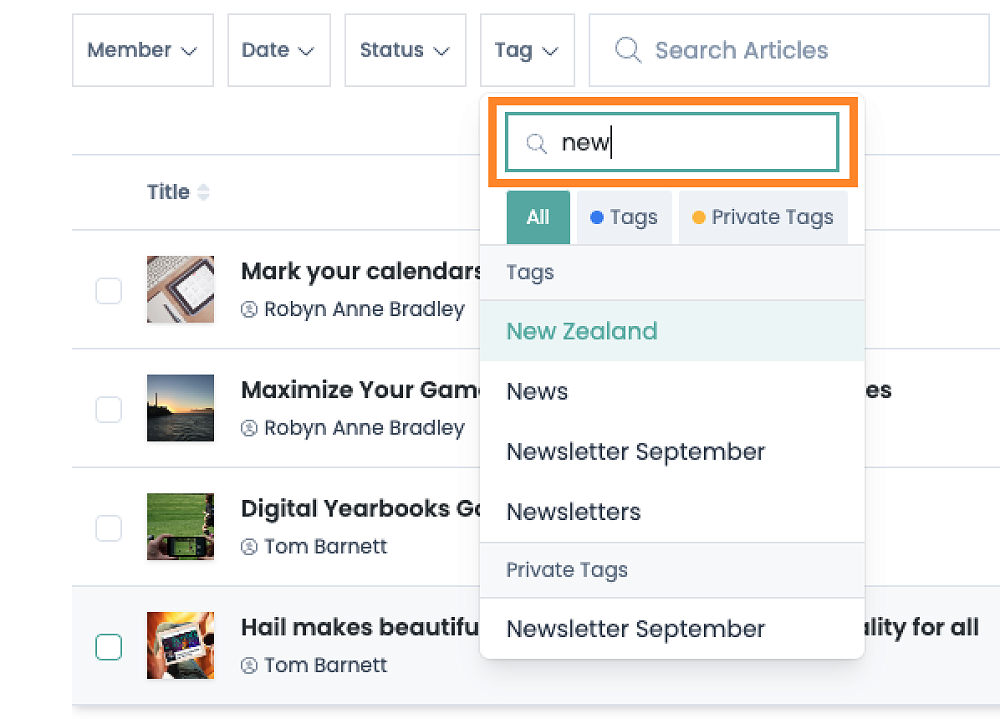
Tag- Filter by Tags and Private tags. You can also use the search bar in the drop-down list to find a tag you are looking for.
**Filtering using tags: lots of our customers have many, many tags and were finding scrolling through tags to filter on, a bit tedious. So we have added a search bar into the tag drop-down so that you can start typing the tag you're after and it'll appear.
Click here to view our Help guide 📗 or watch our video below.
Reach out it you have any questions: support@hail.to
Thank you for your ongoing support.
The Hail Team ✨