
Hero
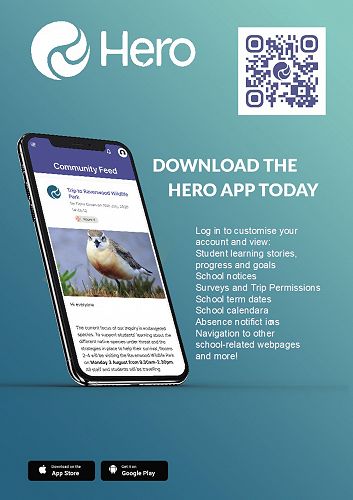
Hero is our student management and school-wide communication system.
We use Hero as our student management system. This system allows teachers, parents, and students ongoing access to student attainment and reporting on progress in an online environment that is secure, easily accessible to parents and provides an effective longitudinal record of student achievement at primary school. Hero allows teachers to share learning anytime and can be viewed on any device.
All parents are able to create a Hero login which means they can view their child's digital reports, school finances and accounts, and all school communication, at any time.
Digital Reporting
Learning conferences are a key part of our reporting system. The important relationship and discussions that occur between parents and teachers cannot be replicated in a report. A 15 minute conversation with your child’s teachers gives you a far better insight into your child’s learning, achievement, and progress as well as their social interaction with others, than a report on its own. It is however, a requirement of the Ministry of Education that all schools in New Zealand have a digital management system linked to a school network. At Heathcote Valley School, we use Hero to manage our student achievement data and connect our parent community to student achievement. Digitally, we report on a student’s academic progress in Reading, Writing and Number (foundation of Mathematics). We also report on other areas of the currciulum.
School Communication
All of our school communication goes out in the community feed on Hero. Communication includes things such as school events, newsletter links, and information from your child's teachers.
School Accounts & Finances
Through your Hero account, you can view your school accounts as well as pay online if you wish.
How do I access Hero?
Step 1
Go to your internet browser and enter the following address: https://app.linc-ed.com/
Step 2
Enter your email address in the 'Username' field. Your username is the email address that you have previously shared with the school. Enter your email and then click 'Lost your password'.
Step 3
An email will be sent to you containing a link for you to click on. The link will take you to a page where you will see your new password. If you choose to personalise this, you can delete the generated password and enter your own strong, secure password.
Step 4
Enter http://hvs.linc-ed.com in your internet browser and enter your Username (this is your email address) and Password (this is the new password you have just created).
Click on ‘Log In.’
How do I pay online?
When you log into your Hero user account and click on 'Menu', you will see the finance icon (dollar note). Clicking this will enable you to view the invoices related to your family. This is what you will see:
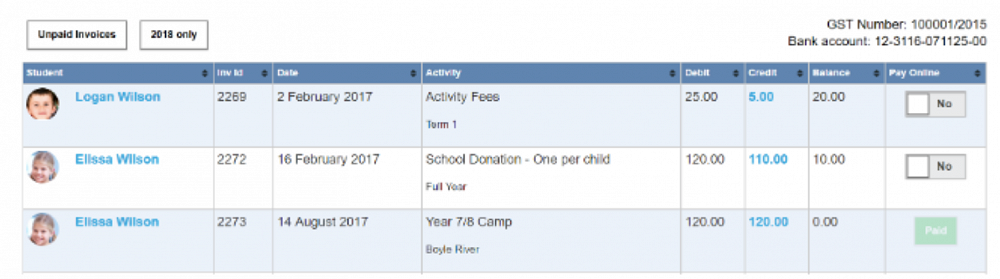
Clicking the 'Unpaid Invoices' button will narrow down what you see to just invoices with outstanding balances.
To pay the balance of an invoice, simply click the 'Pay Online' slider to 'Yes'. NB: You must pay the full remaining balance.
Once you have selected all the transactions you wish to pay, select the 'Pay Selected Invoices' button at the bottom. This will take you through the credit card payment process.
If you need further support with your accounts, please see Janette in the office.
Gallery