School Docs
Highfield School Policies
Highfield School uses School Docs for all its policies and procedures. These are able to be viewed by our community at any stage by logging into https://www.schooldocs.co.nz/. The user name is highfield and the password is rimu.
Sometimes we ask our community to review these policies. You are notified about this in newsletters.
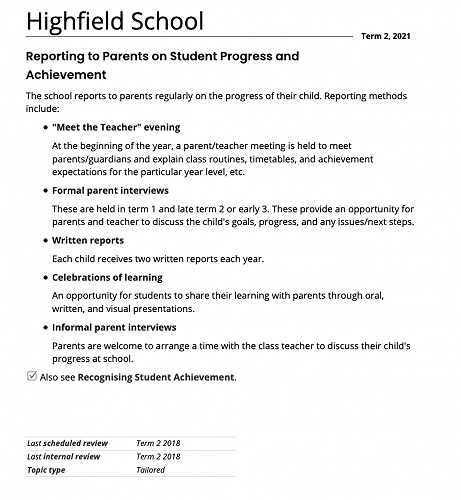
This term we would like our community to review our Reporting to Parents on Student Achievement policy.
Please follow the steps below:
Visit the website https://highfield.schooldocs.co.nz/1893.htm
Enter the username (highfield) and password (rimu).
Follow the link to the relevant policy as listed.
Read the policy.
Click the Policy Review button at the top right-hand corner of the page.
Select the reviewer type "Parent".
Enter your name (optional).
Submit your ratings and comments.
Attached is a copy of the policy for those that do not have internet access. Comments can be handed to the office for inclusion in the review.
Gallery