
Whānau Conferences
We warmly invite you to the upcoming student/whānau conferences. Below is the information you require to set up a time to meet with your child's teacher.
When: Monday 31st July & Tuesday 1st August
Time: 3.30 - 6.00pm (15 minutes per student)
These conferences mirror the ones held in Term 1. The main purpose of these conferences is to kōrero about the progress your child has made over the past few months, to review any goals set and to share the next steps that will be the focus for the rest of the schooling year.
During your conference, the teacher|kaiako will update you on the progress and achievement of your child against current assessment information in reading, writing and mathematics, their approaches to learning, describing their strengths and identifying their next learning steps. There will be an opportunity to discuss your child’s wellbeing and their social interactions at school.
Conferences are a valuable time for students, their whānau and kaiako|teachers to meet and discuss the individual learners and their needs.
We look forward to seeing you there!
How to book a conference time:
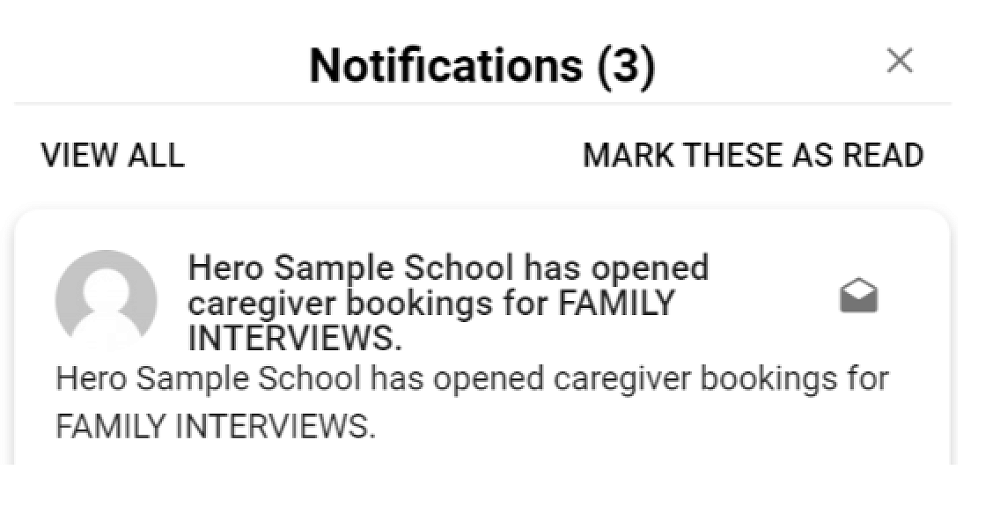
School Bookings via the HERO app are now open to all caregivers. You should have received an email and notification to advise you that bookings can now be made.
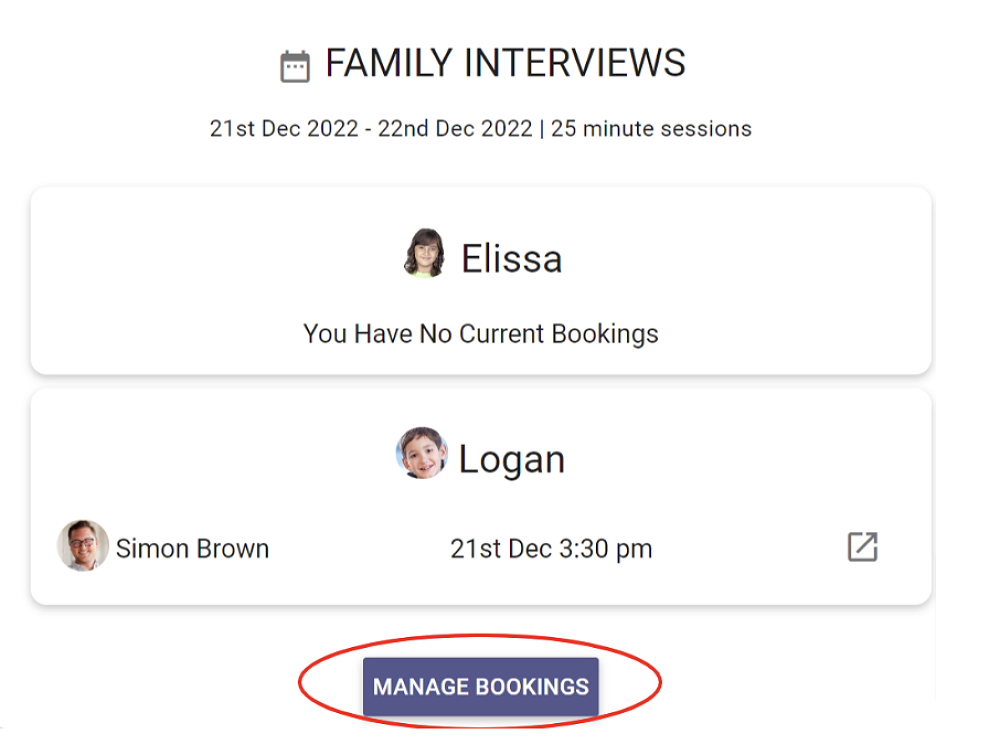
1. On the HERO app, navigate to the School Bookings event and click ADD or MANAGE BOOKINGS.
2. This will display a table of all available slots for all of your associated students, to enable you to co-ordinate bookings across multiple students.
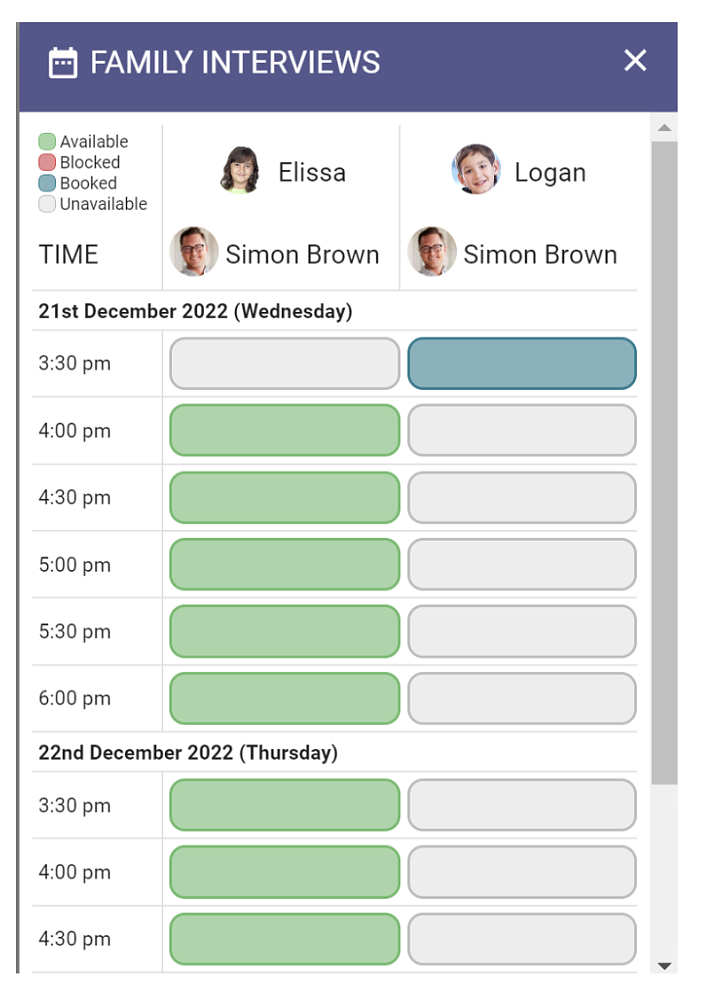
3. A colour key provides you with information on the status of each interview slot.
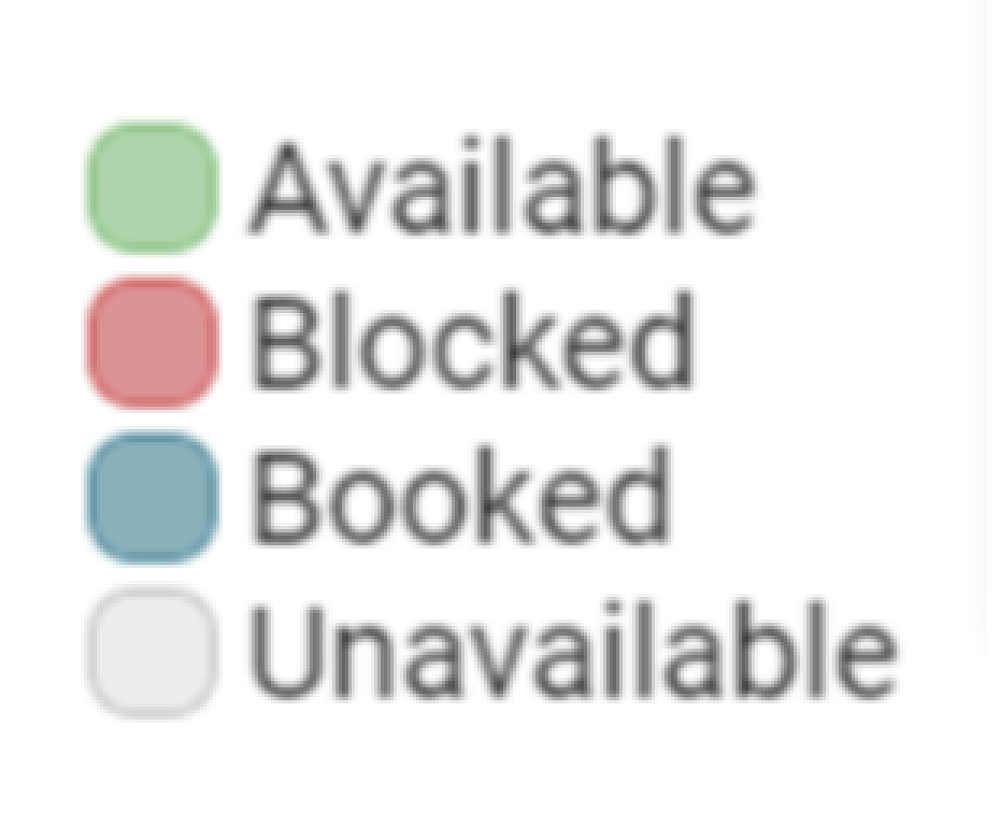
4. To add a booking, click a GREEN slot. The booking popup will be displayed. You will have the option of entering a note for the relevant teacher, if required.
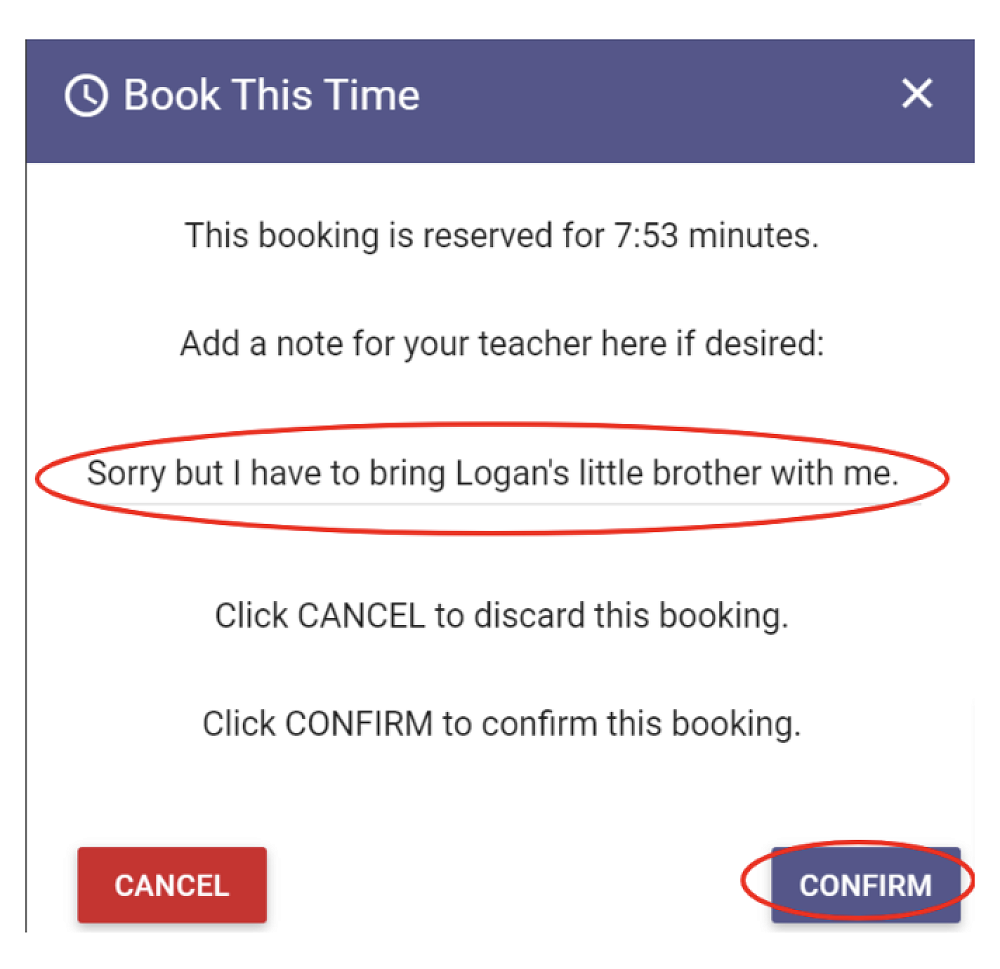
5. Clicking CONFIRM will secure the interview slot.
Conference bookings will close at 12noon on Friday 28th July to allow us time to confirm the schedule with teachers so they can prepare.
The smooth running of our learning conferences relies on keeping to the timetable. If more time is required, you are welcome to arrange a separate meeting or phone call with your child's teacher.
Please take note of your time(s). Once you have made your booking you will be emailed a notification.
Kate & Suzy will be available to provide support with bookings if you have any problems.
TO VIEW A BOOKING
1. On the Hero app, navigate to School Bookings in the menu for our school.
2. Here you will see the event details and any of your associated students who are included in this event.
3. If a booking has been made by a staff member, the date and time of the booking will be displayed along with the staff member(s) you will be meeting. This information will remain available, after bookings have been closed to caregivers.
4. If the conference is to be conducted via video conferencing rather than face to face, the video link is also included. Click this link at the scheduled booking time.
TO CANCEL A BOOKING
1. In the HERO app, navigate to the School Bookings event and click MANAGE BOOKINGS
2. This will display a table of all associated students and their current bookings.
3. Click the BLUE interview slot to display the booking popup. Click CANCEL BOOKING.
TO CHANGE BOOKING INFORMATION
1. To change the time of a booking, the existing booking needs to be cancelled (as above) and a new booking created.
2. To add or change the staff note on a booking, navigate to the booking and click the BLUE interview slot.
3. Add or change the Note and click SAVE.