
BYOD - Bring Your Own Device
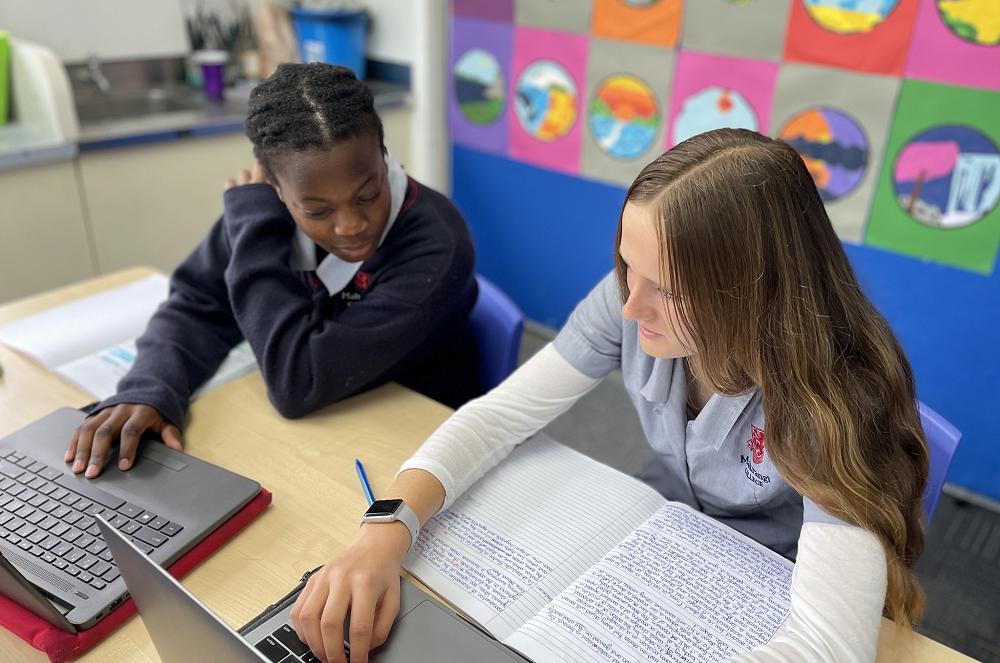
We have a ‘Bring Your Own Device’ programme that is used to further enhance learning. It is expected that all students will bring an appropriate device to school.
Most of our students are already using digital devices to communicate and learn. We are now making use of these skills and resources within the school, so that the potential of those devices can be used to further enhance learning.
Some of the benefits of BYOD are:
Students are more motivated and focused on their work.
They can instantly share their work with peers, parents and
teachers, to gain immediate feedback and advice to improve.
Students can access their work at any time and any place with internet access.
The internet provides a huge number of resources which are invaluable in the learning process.
Students are prepared for a world which is increasingly utilising technology to work and communicate.
What this means for your child
Students are expected to bring their own device to assist in their learning.
Students will be allowed to take and store many of their notes on their device.
Students will have access to the internet via the school
WiFi for research, provided they have agreed to our terms and conditions and that it is at the class teacher’s discretion.
Where possible, students will be able to present and/or submit their assessments digitally.
It is expected that all students will bring their own device to school.
If you would like your child to have a device and need assistance in financing this, please contact o exec@mahurangi.school.nz for more information.
What device is recommended?
Years 7-13:
Any wifi compatible laptop (The operating system can be either MacOS, Windows or Chrome OS)
Memory of 4GB or more (8-16GB preferred)
Hard drive with a minimum of 120GB - SSD hard drive technology preferred as much faster (256GB + SSD is recommended for Art & Technology subjects)
Have Google Chrome web browser
Sufficient battery life to last at least 6 hours on a single charge
Be compact and portable to be carried around daily
Some learning areas may require higher specification devices eg: Art and Technology subjects. Please check with your teacher for more advice but you will need a minimum of 256GB Hard Drive.
Note: Mobile devices such as phones are NOT regarded as a suitable device and are not permitted to be used during the school day.
Backing up
Students are urged to invest in some form of backup system to protect their work - e.g. the cloud or a portable hard drive.
Device Choice Considerations
The size, durability and the protective case of the device should be considered in terms of the weight this will add to a school bag.
Length of battery life, as charging lockers will NOT be available for use during the school day. Therefore, battery life will need to extend through class times.
Care and Security
The care for and security of the device is wholly the student’s responsibility. Mis-handling of portable devices is the largest cause of problems. Most devices will come with care guidelines which we advise users to read.
The following are conditions that we recommend:
Personal insurance policies to cover the device for theft and damage.
Best practice is also to keep a record at home of the serial number of each device.
Portable devices should be protected by a user-name and password. This should not be disclosed to other students.
Students should have a good protective case on their devices and protective bag to carry them in.
Anti-virus software is essential to prevent the spreading of malware, and should be kept up-to-date at all times.
Avoid storing devices at the bottom of your school bag. Pressure from books can easily cause damage.
Do not store anything additional within the device’s sleeve (e.g. cords or disks), as they may damage the screen.
Laptops should never be lifted by the screen. This stresses the hinge mechanism, which also carries power to the screen.
To prevent theft, never leave a device unattended at school, in the playground, in a car or in any exposed area.
Set up ‘find my’ on your device, so if it is stolen, you can track or disable it.
Keeping Safe Online
Mahurangi College believes open communication between parents, teachers and students is the best way to keep students safe.
Students will often share concerns with each other online. It is important that they tell a teacher and/or parent/caregiver when they are feeling uncomfortable or threatened online.
Most social media has a 13+ age restriction. For the child’s safety and well-being, parents are strongly advised to adhere to these age restrictions.
If you have any concerns about internet safety contact the
school or visit http://www.netsafe.org.nz
Device Use Restrictions
Devices are to be used for educational purposes only.
Students are encouraged to take a break from devices at interval and lunch, unless catching up on work.
The school is able to monitor and filter usage to ensure the safety and appropriate use of internet and other resources by students.
All use of devices will be at the discretion of the class teacher.
Inappropriate use may result in confiscation or disciplinary action as deemed appropriate.
All internet access MUST go through the school WiFi. This will be monitored for inappropriate or excessive use.
Mobile phones are to be switched off and in school bags during the school day and are not permitted to be used.
Students need to make it a habit to charge their device overnight so they bring it to school fully charged. No charging facility will be available at school.
Frequently Asked Questions
What if my child does not have a device?
Limited desktop computers are available in the library, computer labs & the various rooms around the college.
How regularly will my child use their device in class?
This will obviously differ from class to class and teacher to teacher. Some subjects lend themselves to using a device more naturally than others. Our expectation is that platforms like our Learning Management System will contain notes/resources and be updated regularly for students.
Does Mahurangi College provide support for devices?
We are able to provide limited support for student owned devices from our Computer Centre (we know Apple products the best as that is what the school uses). Purchasing a device with a warranty and from a reputable seller will ensure you have support from them for any issues. We can advise a local repair service if required.
Will the school be operating a rental programme?
Yes, we will be operating a rental programme of iPads. The rent programme is a limited resource available to families with genuine hardship. Contact: exec@mahurangi.school.nz
e-Learning Resources
Technology is constantly evolving. Each teacher will find creative ways of using alternative software, websites and other resources. Therefore the way these resources are used will change over time and will vary from class to class.
Mahurangi College is a G Suite for Education school. Every student enrolled will receive a free Google account with unlimited space. This will allow students to create, modify and store their content online. These accounts will be managed by Mahurangi College and will be available 24/7 from any device with an internet connection.
Google Classroom is our main Learning Management System which allows teachers to make course work available to students via the internet (at home and at school). This forms a central point for students to access course notes, assessments and other material the teacher would like them to reference.