PODD
A Powerful Tool in our Communication Toolkit
At Pītau-Allenvale we aim to make language as accessible as possible for our young people with complex communication needs (CCN). We use a range of approaches, including using well-researched augmentative, alternative communication (AAC) systems to talk with and around our young people through the day.
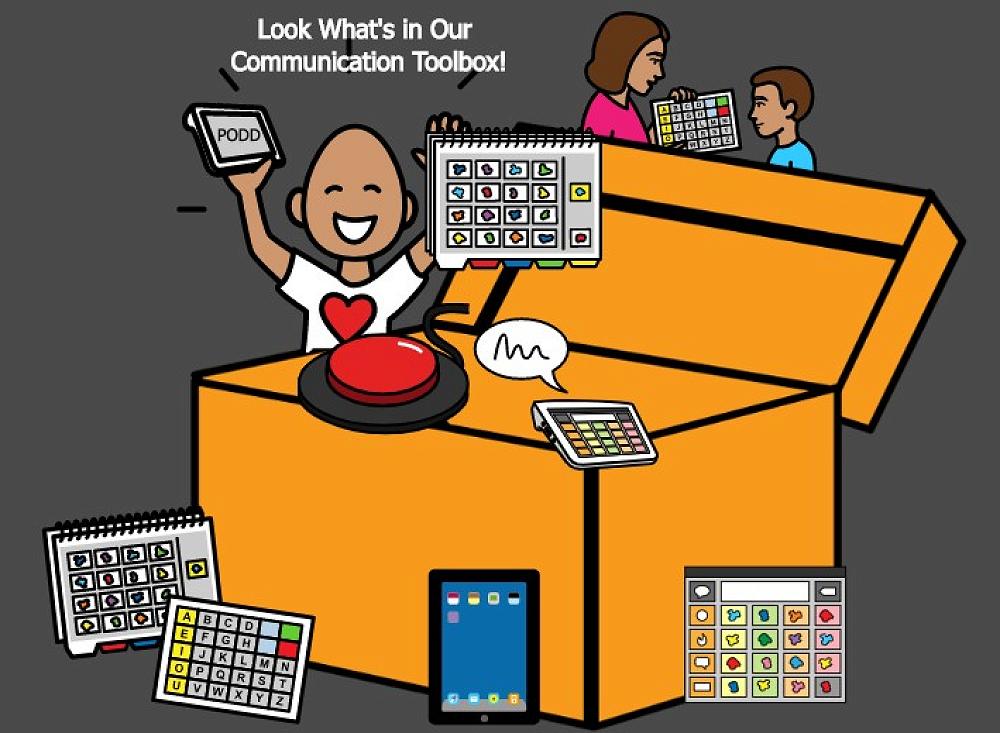
PODD is one of a range of AAC system used in our learning environment.
What is PODD?
PODD stands for Pragmatic Organization Dynamic Display. It is an AAC system developed by speech pathologist Gayle Porter. PODD aims to provide individuals with CCN a means to support efficient, effective communication. PODD goes beyond single-word communication by enabling users to express a wide range of thoughts, opinions, and emotions, similar to how natural communication interactions work.
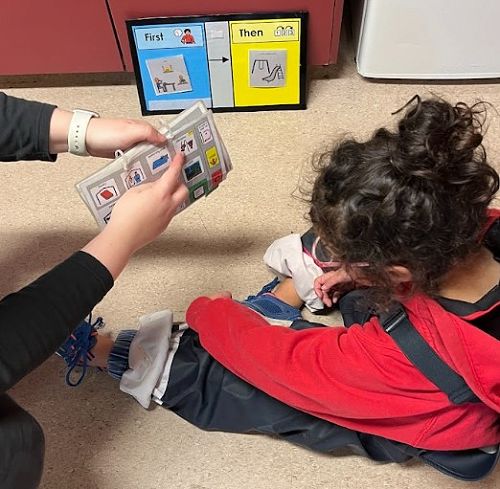
We have found this system is particularly useful where a student might have difficulty touching a communication system to say a message. It’s also a beneficial tool for very early communicators who are just learning why we communicate and how.
PODD stands for:
Pragmatic – the ways that we use language socially
Organisation – words and symbols arranged in a particular, systematic way
Dynamic Display – linking and moving to pages
Key Features of PODD:
- Pragmatic Organization - PODD is structured according to pragmatic language principles. It arranges vocabulary based on how language is naturally used in various contexts and social situations. This organisation enhances the user's ability to communicate meaningfully and engage in conversations.
- Dynamic Display - PODD uses a dynamic display approach, meaning that the vocabulary layout is linked and moves dynamically to adapt to the ongoing communication context. This is especially important for individuals with limited motor abilities, as it minimizes the effort required to find and select words.
- Visual Representation - PODD often employs symbols and/or photos alongside text to represent words and concepts. This visual representation helps users comprehend and select words, even if they struggle with reading or have limited literacy skills.
- Multimodal Options - PODD can be low tech and/or high tech, meaning paper-based communication books, digital devices (tablets with AAC apps), or a combination of both.
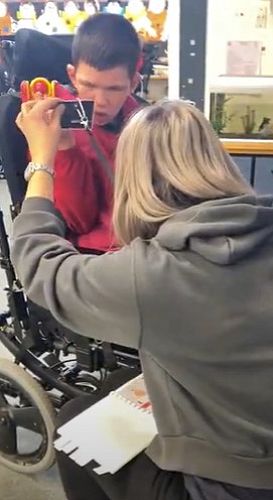
- Access Methods - PODD accommodates different access methods, such as direct selection (touching the desired symbols), eye-gaze tracking, switch scanning, or partner-assisted scanning. This ensures that individuals with various motor abilities can use the system effectively.
Advantages of PODD:
- Enhanced Communication - PODD enables individuals with CCN to express complex ideas, emotions, and desires that might be challenging with traditional communication methods.
- Reduced Frustration - The pragmatic organization and dynamic display minimize the effort required to locate and select words, reducing frustration and communication breakdowns.
- Social Interaction - By providing a comprehensive vocabulary arranged by context, PODD fosters more natural and engaging interactions, promoting social interaction.
- Individualized Vocabulary - PODD can be tailored to the user's communication level, interests, access needs, and experiences, ensuring a personalized communication experience.
PODD communication systems can be great tools for accessing language and learning to have more effective and meaningful interactions. Like any AAC tool, we need to model model model model it to teach the young person how they can use it.
PODD is just one communication tool we can choose to use. Whether you and your young person's team decide to start with PODD or another AAC system, it’s REALLY IMPORTANT TO START as soon as possible to support communication development.
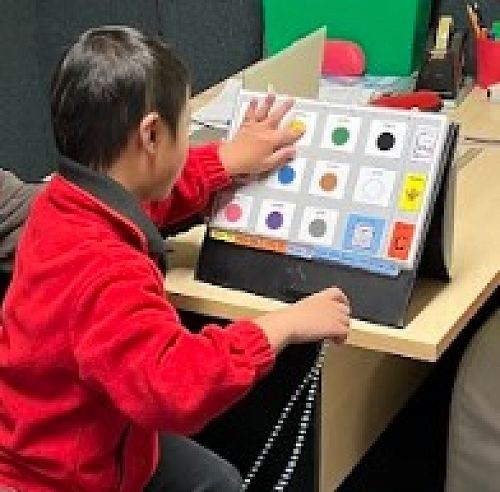
Be sure to look at the attached photos to see how some of our young people are engaging with this POWERFUL COMMUNICATION TOOL!
If you would like to learn more about PODD, please contact your young person’s SLT or email michelle.king@allenvale.school.nz. You can also learn more by following the links below:
Gallery