

Downloading your child's Seesaw journal for the year
Would you like to keep a digital copy of your child's Seesaw journal for the year? Below are the instructions to help you do this.
You can download a .zip archive of a Seesaw journal, including images, videos, audio recordings, and text notes or captions.
Please use a computer and a Chrome or Firefox browser only, the .zip file will not download on a mobile or tablet device.
Download your .zip archive by following these instructions.
1. Sign into your Family account at https://app.seesaw.me.
2. Tap your Profile Icon on the top left.
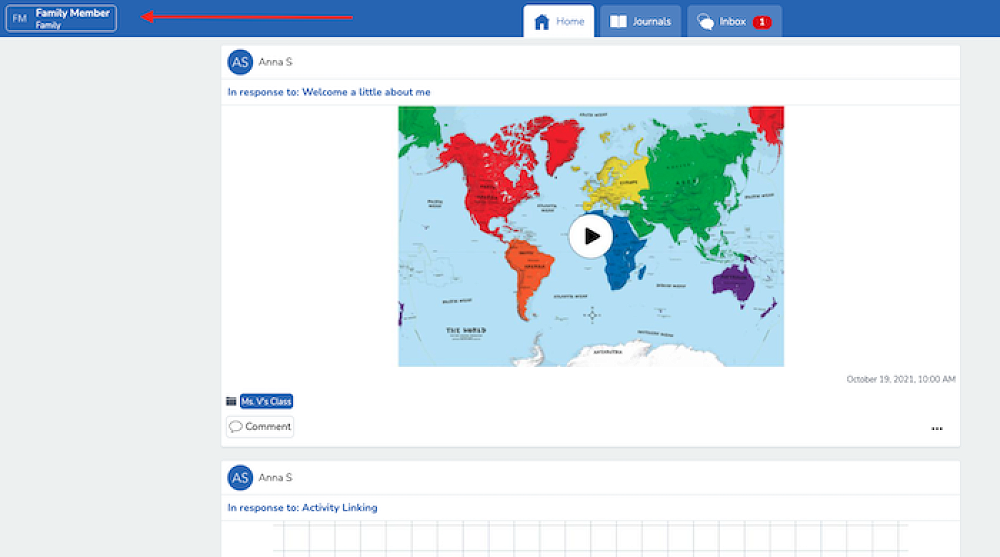
3. Tap Account Settings.
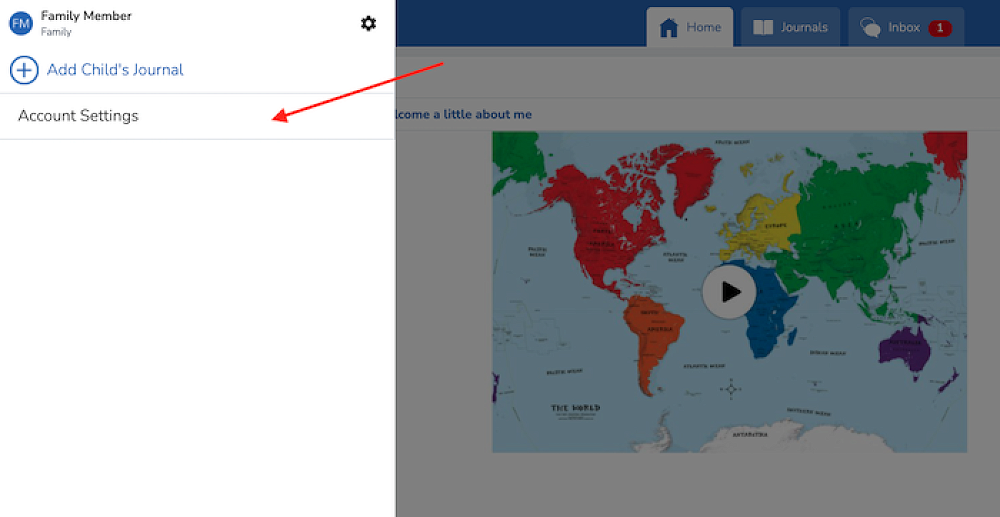
4. Scroll down and tap Download Journal Archives.
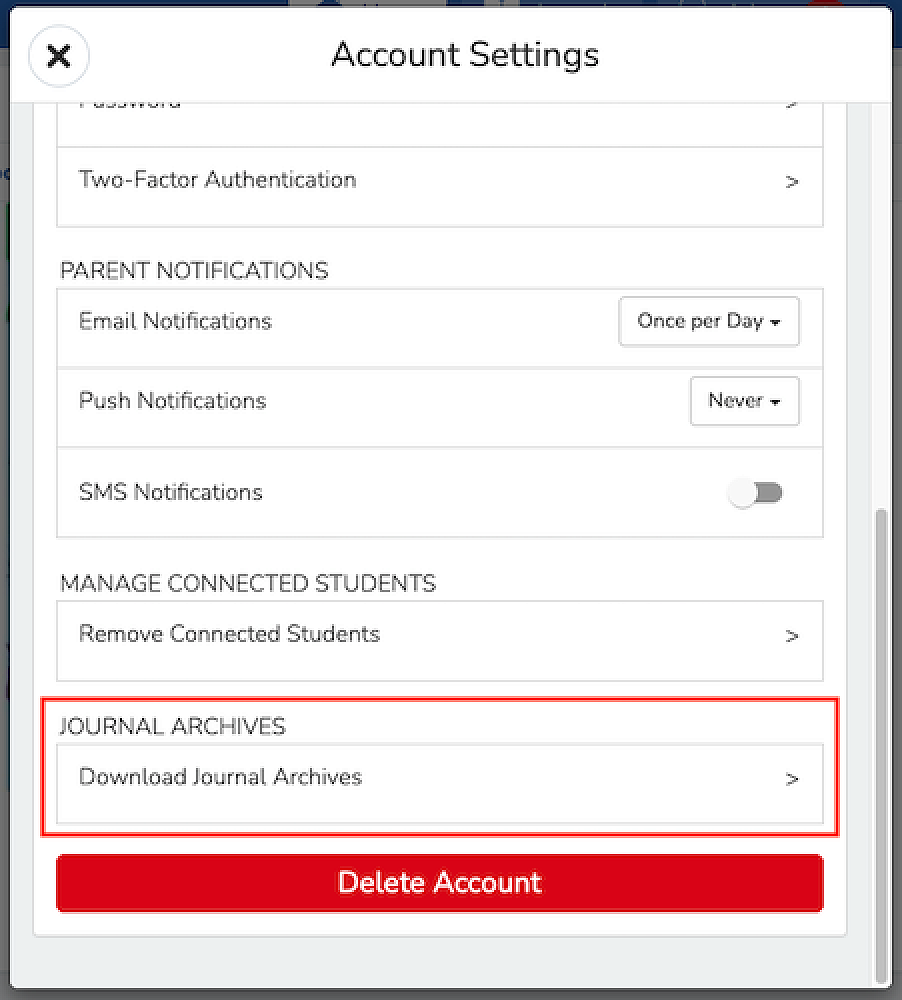
5. Tap the 'Download Journal' button for the journal you want to download. This might take a while depending on your Internet speed and how many posts your child has in Seesaw.
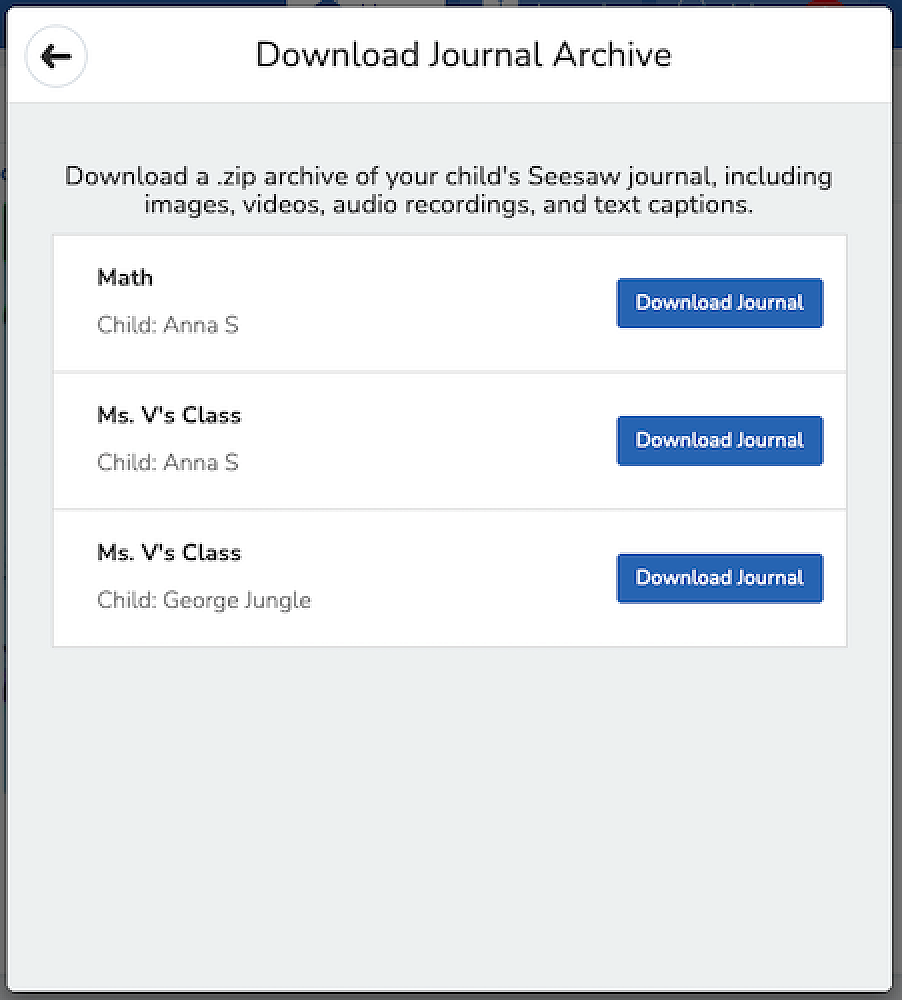
This is what you get! It is organized by month and then ordered by the date the post was added. You'll see an .html file with a thumbnail, text notes or captions, folder names, and links (if the post used the Link Creative Tool). You'll also see the original image, video, or audio files.
Please note, that if your child is leaving Pītau-Allenvale School, you will lose access to their journal. If you would like to keep a record of your child's growth and learning development throughout the year, downloading their journal would be a great way to keep a record you can look back at in the years to come.