

Student-Led Achievement Conferences
All you would want to know about how we report student progress and achievement.
Online Reporting
HERO is a student management system used by St Joseph’s School to communicate with family and whanau. HERO enables teachers, parents, and students to view a child’s learning journey via the internet in a secure, easy and useful way. The system is designed to build year on year so that parents and students have access to comments, assessments, images, and helpful resources in one place.
We believe that reporting to parents should be a natural part of the teaching and learning process. HERO allows us to share information between home and school throughout the year, in real-time as learning takes place. HERO also enables us to provide clear information relating to student progress mid-year and at the end of the year.
Below are two files that provide detailed information and guidelines designed to help parents and caregivers read the online report and participate in the Achievement Conferences.
Achievement Conferences
We use an online booking system - School Interviews. The facility will allow you to see what times are available and to book times that suit you.
Achievement Conferences will take place on: -
Conferences will take place on: -
Tuesday 27 June between 2.00 pm and 5.45 pm
Wednesday 28 June between 2.00 pm and 4.45 pm
Please note that the school will be closing early - 2.00 pm - on these days so that Achievement Conferences can take place.
Important things to note:-
Sessions will last 30 minutes.
There will be groups of 10 families per session time touring the learning spaces.
During this time you will be able to go through your child’s classrooms and talk to teachers from the teams.
Bookings online close 1.30 pm - Monday 26 June
How to book conference times
Click on this Link to take you to the booking page
This will take you to the School booking page. However, if you are asked for a code, this is: - 4wrvp
You then need to follow the instructions on the screen. You will receive an email confirmation of the date and time you have booked.
If you are unable to access this please let the office know and we can set one up for you.
Screens on the booking system
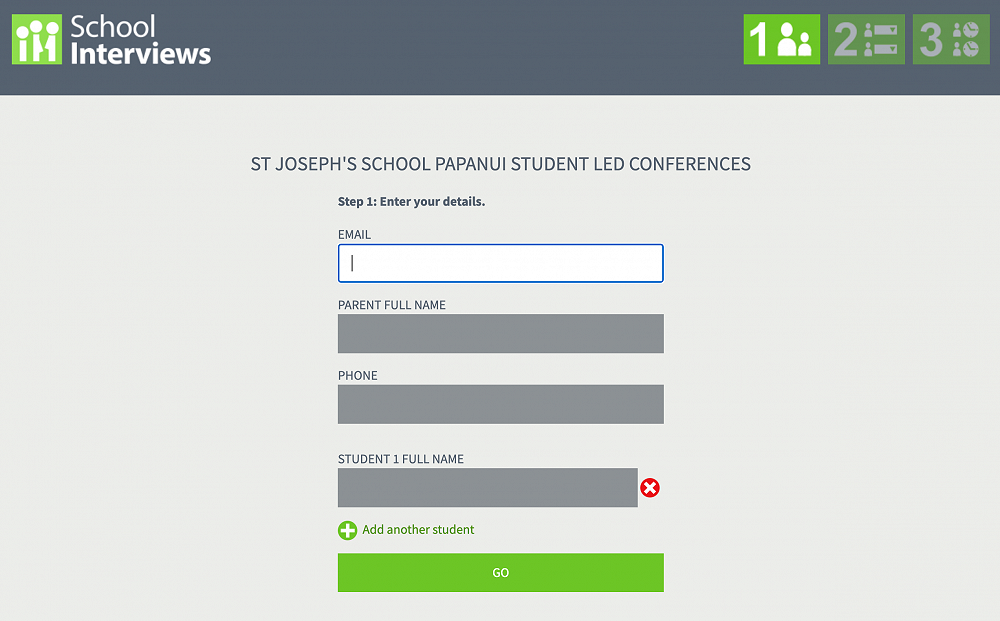
Enter details as required.
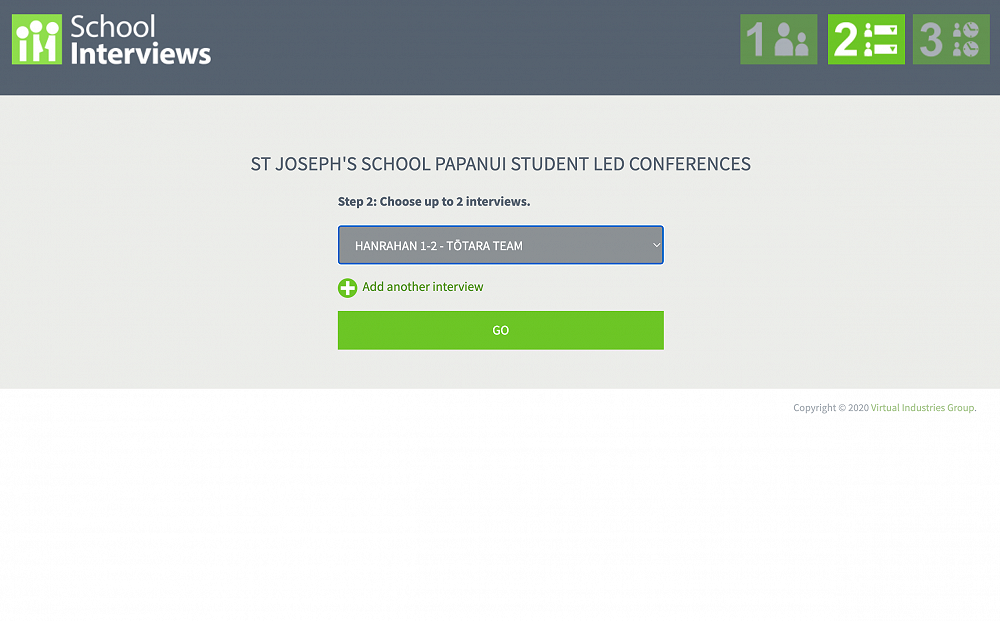
Choose Team from the from down box
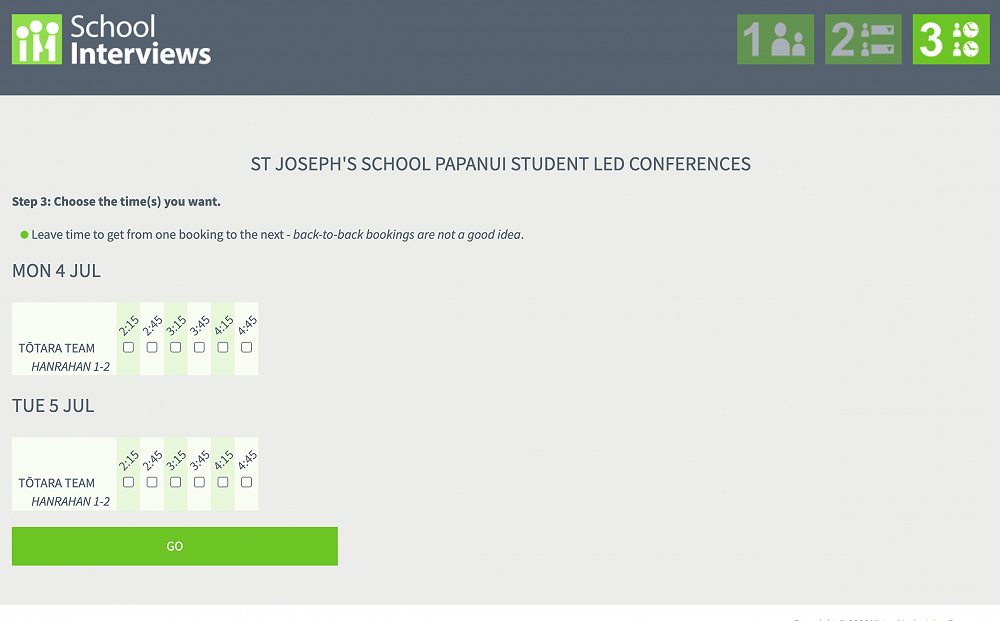
Choose the time you wish to book.
You will receive an email confirmation of the bookings.