

JUNIOR REPORTS Kamar Student/Parent Portal
On Thursday the 10/12/2020 junior reports will be handed to students at the end of prize giving. Those students not at school will have their reports mailed. Reports are also availabe using the Kamar Portal. This gives students, parents and caregivers access to information about the school (student notices and calendar) and information about the student (attendance, NCEA results, contact information and school reports). The Kamar portal can be accessed online at https://kamar.tkhs.school.nz or it can be accessed through the Kamar.app on phones and iPads. The app is available free from Google Play (for Android phones) or from the Apple Store (for iOS devices). Some information available online can not be accessed using the app.
To access reports online:
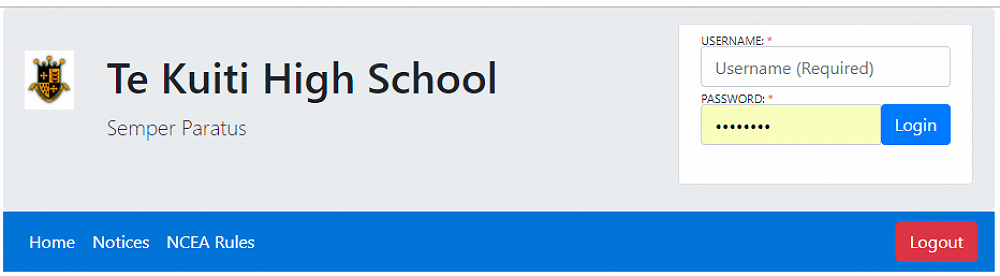
Go to https://kamar.tkhs.school.nz. You can access notices without a user name or password.
To see student details and results you need to login. Students can log in with their normal school login and password. Primary caregivers login with the students usual user name but you need to obtain a password which is available from the school.
Once logged in you will see tabs labelled Details, Results and Careers. Each of these has a drop down list with further options.
Details:
This contains four subpages:
Details: Student contact information, caregiver and emergency contact information and student medical information. Please contact the school if any of this information is incorrect or out of date
Change Password: Choose your own password (Not available on mobile app)
Financial: List all your financial transactions with the school. You can also download a pdf copy of receipts for payments made. (Not available on mobile app)
Attendance: Shows student attendance period by period.
Groups: Lists the groups that the student has been involved in. Includes sports teams and other activities.
Results:
This also contains four subpages:
NCEA Summary: Summary of qualifications, summary of credits by level and year. List of results for achievement and unit standards. (Not currently available on mobile app)
Current Year results: Gives current results and entries. (Not available on mobile app).
Reports: Allows you to download pdf copies of school reports. (Not available on mobile app).
Careers:
Pathways: Shows progress on Vocational Pathways. (Not available on mobile app).
NCEA Rules
This is a link to Te Kūiti High School’s rules and procedures for NCEA assessments.
Access by Mobile App.
Once you have downloaded the Kamar app you will need to setup user access.
Portal Address (or Server Address) is kamar.tkhs.school.nz
You will also need the username and password as for the online web version. (Note: replace the default setup rather than adding a new setup. Only add a second setup if you need to access two students)
Absence Notify
Provide a way for you to notify the school of a student absence. You need to specify a reason from a lint and enter some details.
Details
Gives student details. Swipe across for extra screens.
Timetable
Gives student timetable for the day. Scroll left or right to change days. Also displays attendance for each period (where applicable).
Attendance
Gives student attendance for the year. Gives an overall attendance rate for the student as a percentage. It also lists full day and half days absence.
Swipe left to list period by period weekly attendance (P = present, J = justified absence, U = unjustified absence)
Groups
Lists the groups that the student has been involved in. Includes sports teams and other activities