Linewize
Our school is committed to providing safe and educationally focused digital journeys for our students.
OUR CYBER-SAFE COMMUNITY
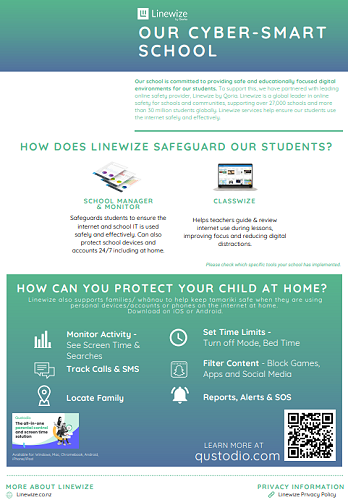
Our school is committed to providing safe and educationally focused digital journeys for our students. To support this, we have partnered with the leading online safety provider, Linewize by Qoria. Linewize is a world leader in online safety for schools and communities, supporting over 27,000 schools and more than 35 million students globally. Linewize services help ensure our students use the internet safely and effectively.
SCHOOL MANAGER & MONITOR
Allows the school to ensure students use the internet on school IT safely and effectively. Can also protect school devices and accounts 24/7, to support safer learning at home.
CLASSWIZE
Helps teachers guide internet access during lessons, improving focus and reducing digital distractions.
ONLINE SAFETY HUB + PARENT SAFETY APP (QUSTODIO)
Provides the entire school community with education and a free parent app to protect your children's personal devices at home.
HOW CAN YOU PROTECT YOUR CHILD AT HOME?
All families and whānau now have free access to resources, information and tools to help keep tamariki safe online when using their devices at home.
The latest advice from experts including social media app risk reviews
Difficult online safety conversation starters for Parents
Guides to help you support your child's online development
Qustodio Parent App - FREE tool for parents to protect children's devices at home.
VISIT OUR HUB AT
https://tokoroacentral.onlinesafetyhub.nz/
Qustodio Parent App for Families
Filter and block apps and content parents don’t want their children to access
Customise what children can access during homework hours
Balance screen time by setting time limits on devices as well as for specific apps
Protect screen-free moments such as mealtimes and bedtimes
See who children are talking to and what content they are seeing in real- time
How to get started
1. Visit the Online Safety Hub.
2. Create your account
3. Install Qustodio on your child’s devices
FAQ - FOR FAMILIES / WHANAU + STUDENTS
What online activity can school staff see for students when using a school account?
Searches
Apps & Websites
Videos
Google Apps for Education (G-Suite)
Is it possible for the school to see school account activity (websites accessed) at home for students?
Yes (if the school has enabled this with Linewize).
How does that work?
Filtering protection at home is via a Google Chrome extension that loads when students are signed into their Google Chrome browser with your school Google account on a laptop/computer. (Not phones/tablets)
Can teachers view students' computer screens at home?
Yes - Student screens can only be viewed from home by a teacher in Classwize during learning hours set by the school. (If the school has enabled this with Linewize).
What does that mean for other household members?
Please refer to the school's specific student ICT policy/digital agreements. It is good practice, on shared devices, other family members sign out of the school account and use a personal account for their internet use.
Gallery